
Find the latest articles on our Growth Blog and Product Blog.
Growth Blog | Product Blog
 Stefan Gauci wrote this on January 27, 2026
During the past few weeks we’ve been testing out a fresh batch of improvements with some of our users and thanks to all the great feedback, we’re now ready to roll these updates out to everyone.
This update introduces three highly-requested enhancements: the ability to change Field types, a brand-new Files Widget, and a powerful new Record Activities Widget for monitoring changes across your Apps.
Let’s dive right in.
One of the most common requests we’ve received is the ability to quickly adjust a Field’s type without needing to rebuild it from scratch. With this update, you can now change the Field type directly from the Field settings.
To get started, navigate to your Field settings and click on the Field type icon. From there, you can select the new Field type you’d like to use.
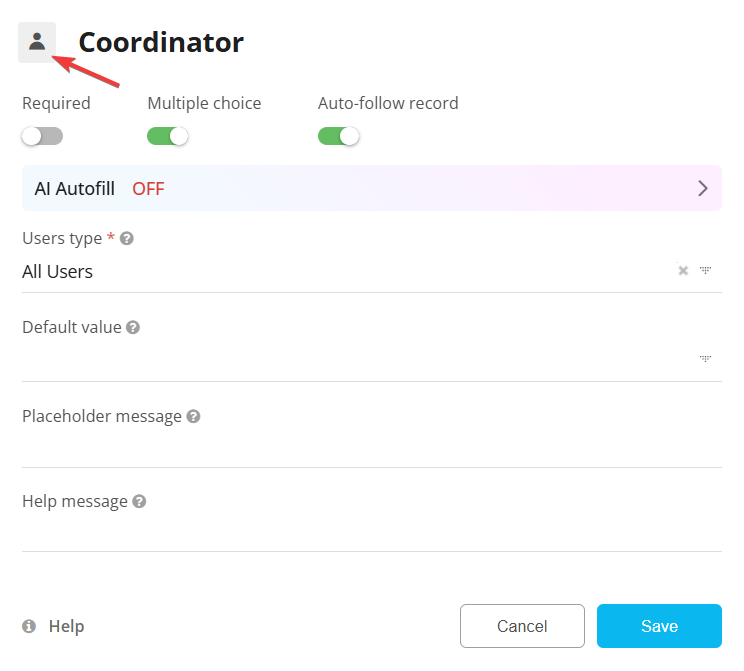
In some cases, a Field type cannot be converted due to compatibility restrictions. When that happens, you can use a simple workaround:
Create a Formula Field that formats the current Field value exactly how you want it, then convert that Formula Field into your desired Field type. This gives you a smooth path to restructure your data without losing important information.
Learn more about changing Field types.
We’ve also released a new Files Widget which is perfect for teams that regularly manage documents, images, or any file attachments across their Apps.
This widget lets you list files stored in a selected App and display key details from the App record that the file belongs to. It gives you a clear and searchable overview of all files, right from your Dashboard.
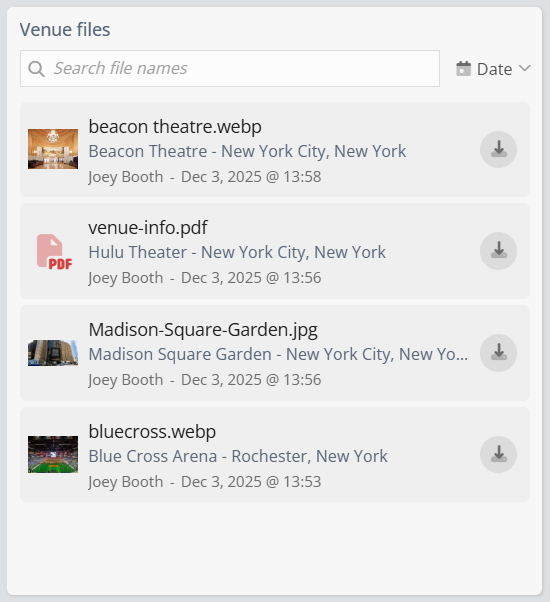
You can search files by name, quickly preview the files, and download any file in one click. Whether you’re organizing project assets, tracking customer documents, or centralizing internal files, this widget makes file management a lot smoother.
The third update introduces the Record Activities Widget, designed for teams that rely heavily on tracking changes, updates, and collaboration within their Apps.
With this widget, you can display activity from a selected App - such as when a Field is updated on a specific Record. For example, you can instantly see when the Assigned To field changes, when a Deadline is adjusted, or when a key record Field is modified.
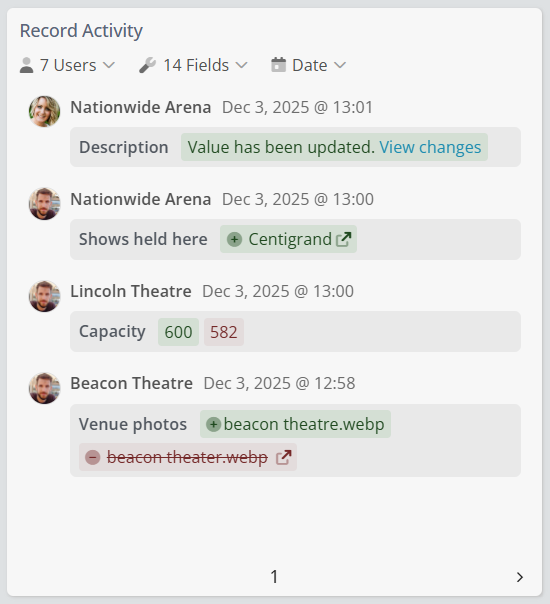
Think of it as a focused activity feed that zooms into the actual Record and Field-level changes, rather than general App activity. This makes it ideal for monitoring progress, spotting important updates, and staying informed about what’s changing and who is making those changes.
You can also filter the activity feed by Users, Fields, and Date, giving you full control over the type of updates you want to keep an eye on.
We hope you enjoy the latest updates!
As always, if you have any feedback or find any issues, let us know via 💬 or 📧